
Side Nav Bar
The Side Nav customization page lets you create pinned shortcuts for collections, series, content types, platforms, publishers, saved searches, curated guide lists, and magazine runs.
Use this when you want a custom button in the left sidebar that jumps directly to a meaningful subset of your library.
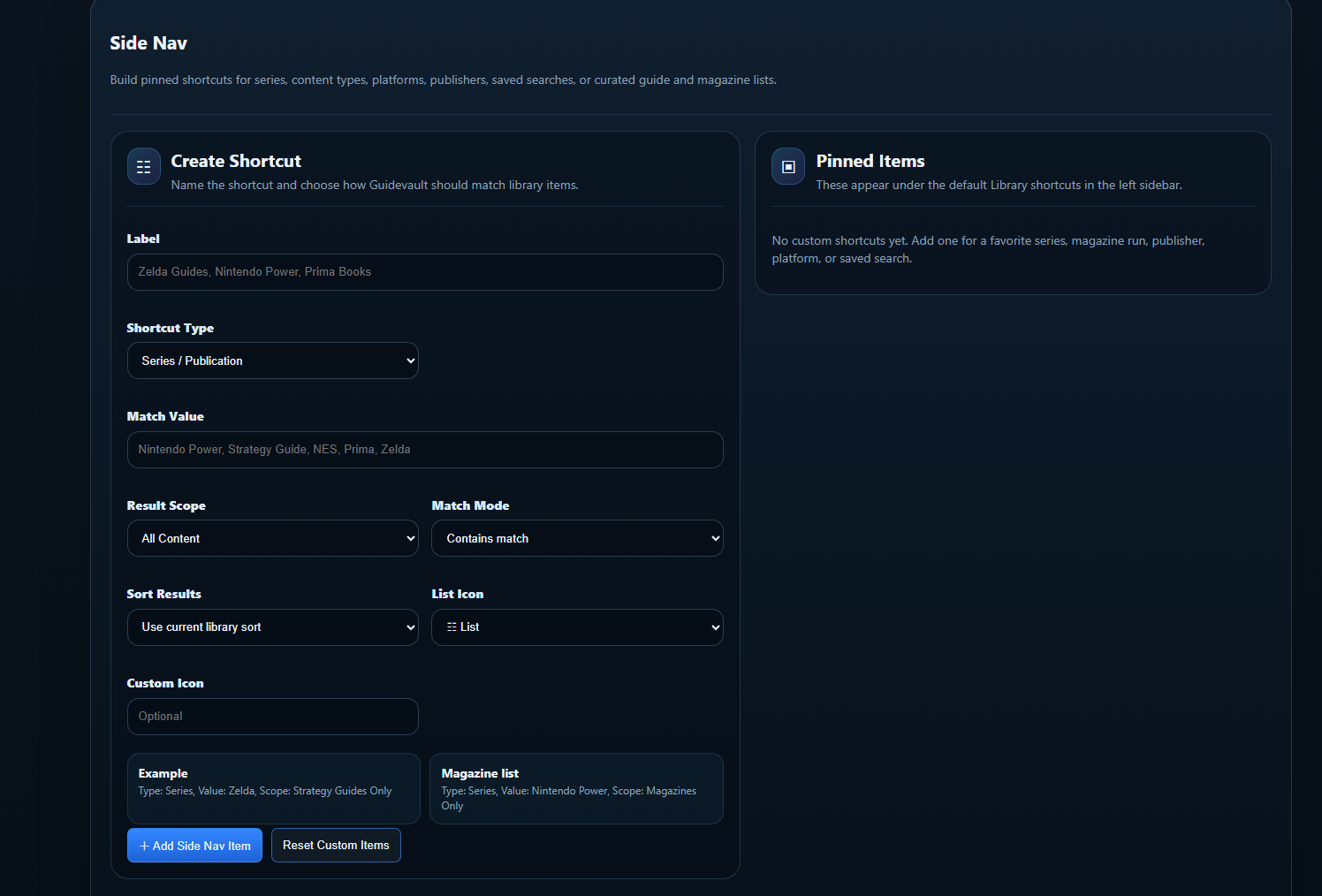
Shortcut settings
Section titled “Shortcut settings”Label
The name displayed in the left sidebar. Use a short, obvious name such as Zelda Collection, Prima, Silent Hill, or Nintendo Power.
Shortcut Type
Defines what kind of match GuideVault should perform. Examples include series/publication-style matching, platform-style matching, or other saved library views.
Match Value
The text GuideVault uses to find matching items. This can be a series name, publisher, publication name, platform, or other searchable value.
Result Scope
Limits where the shortcut searches. Use all content for broad collections, or narrow it to manuals, strategy guides, or magazines when the shortcut should be specific.
Match Mode
Controls how strict the match should be. A contains match is more forgiving; stricter matching is better when short names could accidentally match unrelated items.
Sort Results
Controls how the results appear after opening the shortcut. You can use the current library sort or define a more predictable order.
List Icon
Controls the icon shown next to the sidebar shortcut. Pick something that visually separates custom collections from default library sections.
Custom Icon
An optional override when the built-in icon choices are not specific enough.
Example: Silent Hill display
Section titled “Example: Silent Hill display”A Silent Hill shortcut is useful when you want one sidebar item that groups related manuals and strategy guides for the series.
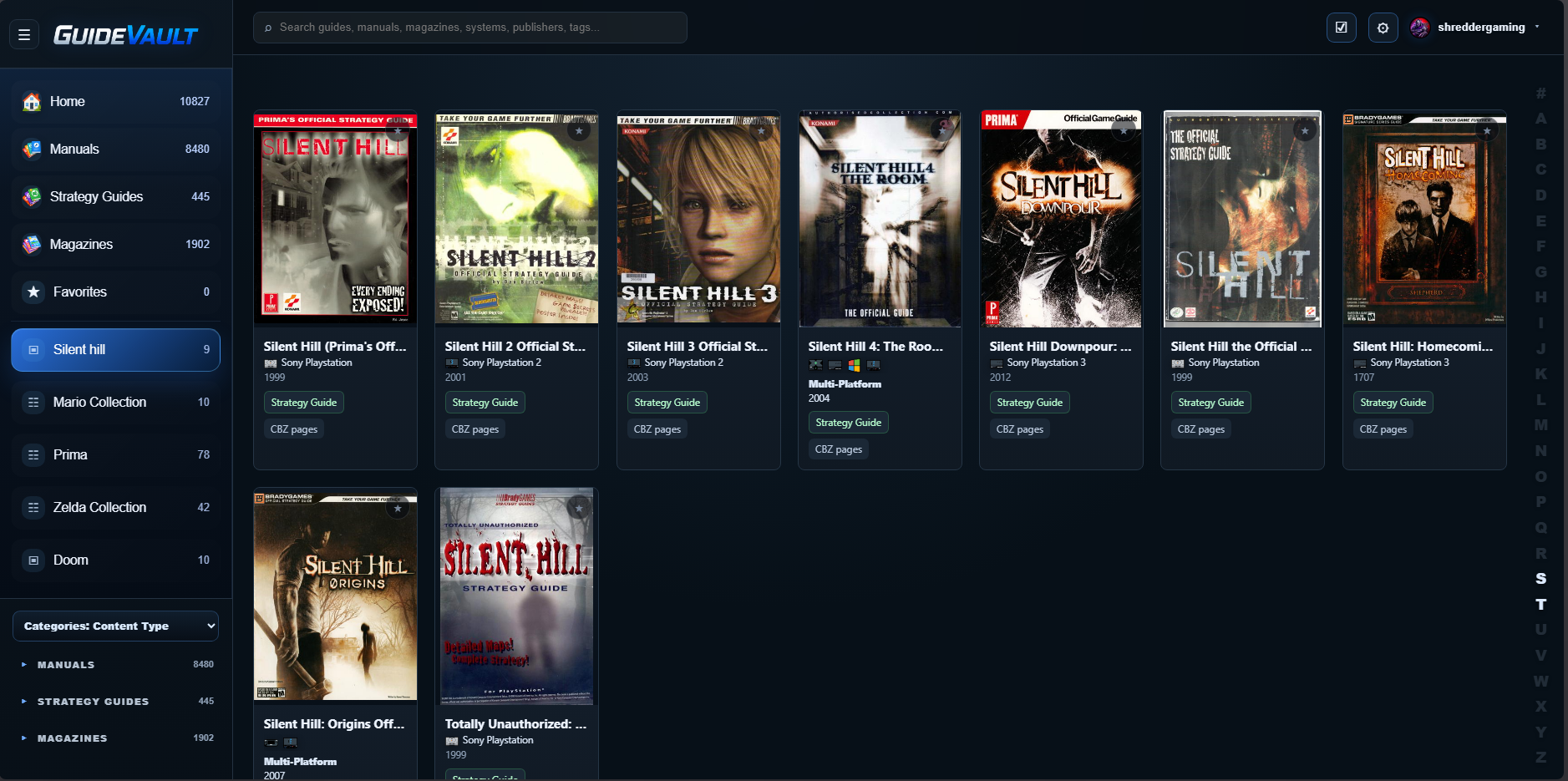
Suggested setup:
- Label: Silent Hill
- Shortcut Type: Series / Publication
- Match Value: Silent Hill
- Result Scope: Strategy Guides or All Content
- Match Mode: Contains match
Example: Prima strategy guide display
Section titled “Example: Prima strategy guide display”A Prima shortcut is useful when you want to browse guides from a publisher or imprint.
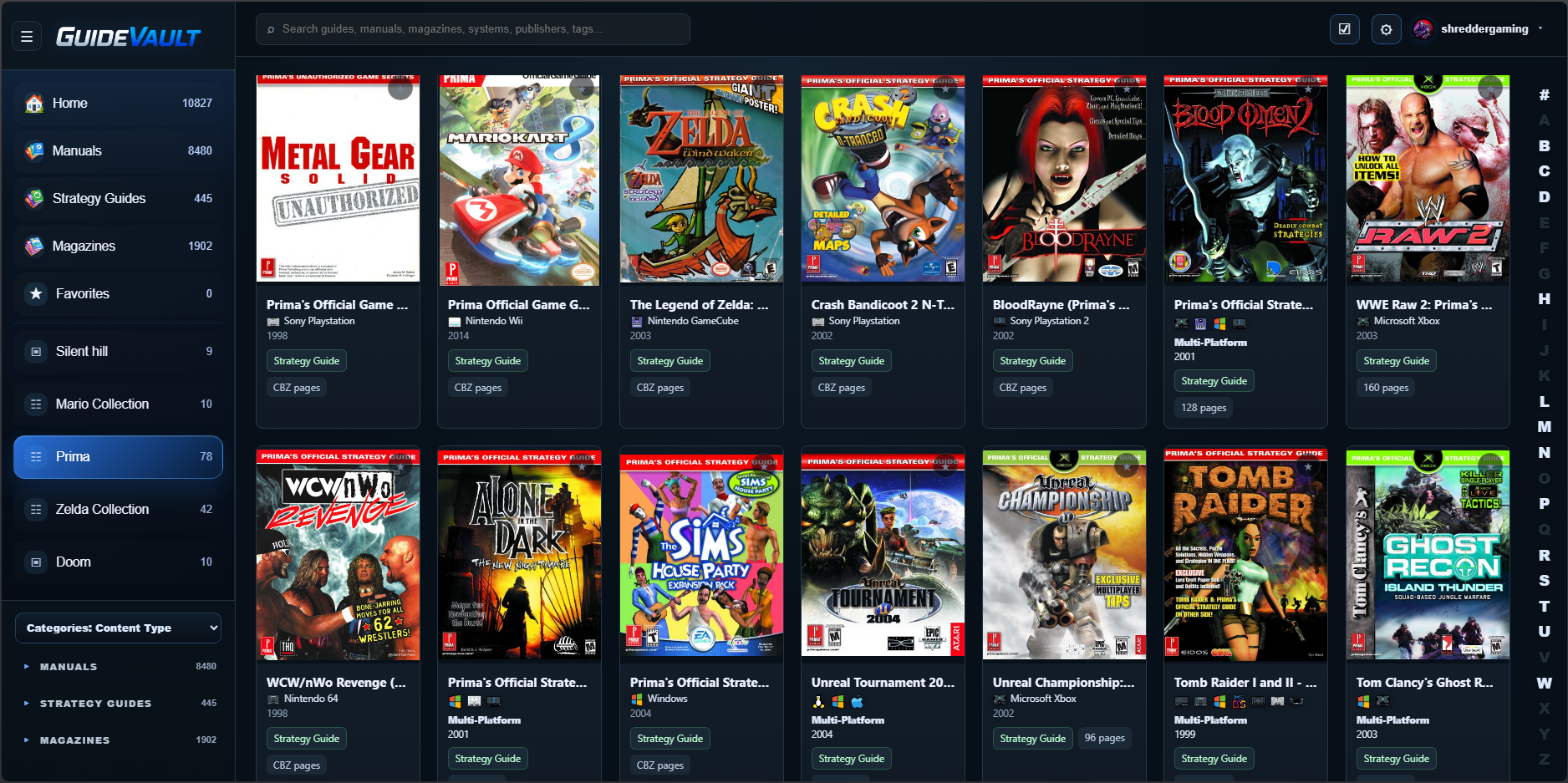
Suggested setup:
- Label: Prima
- Shortcut Type: Series / Publication or Publisher-style match
- Match Value: Prima
- Result Scope: Strategy Guides
- Match Mode: Contains match
Example: Zelda Collection display
Section titled “Example: Zelda Collection display”A Zelda shortcut is useful when you want all Zelda-related manuals and guides in one place.
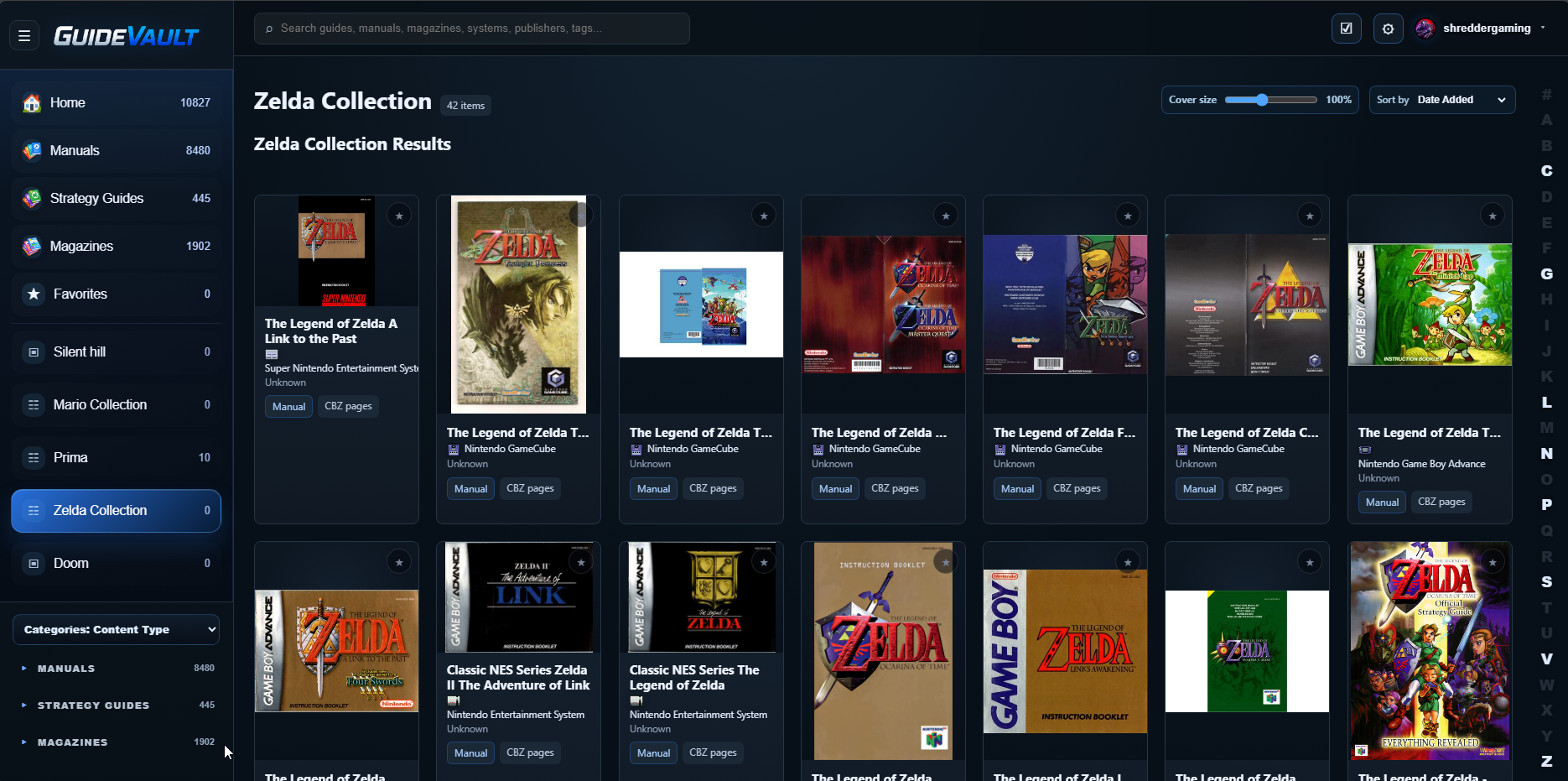
Suggested setup:
- Label: Zelda Collection
- Shortcut Type: Series / Publication
- Match Value: Zelda
- Result Scope: All Content or Manuals + Strategy Guides depending on your library goals
- Match Mode: Contains match
Practical advice
Section titled “Practical advice”Use custom Side Nav items for things you actually browse repeatedly. A good shortcut saves clicks. A bad shortcut becomes clutter.
Start with a few high-value collections, then add more only when you notice yourself searching for the same thing often.